Count a room
A stocktake is the app checking itself. You walk a room, count what is actually in it, and the app reconciles that against what it expected. What is short becomes Missing; what you find that it did not expect is recorded where it really is.
Starting
Count on Home, or the Stocktake card under The building, opens the stocktake screen. Start a stocktake takes a snapshot of what each room holds right now and lists every space with how many items are expected.
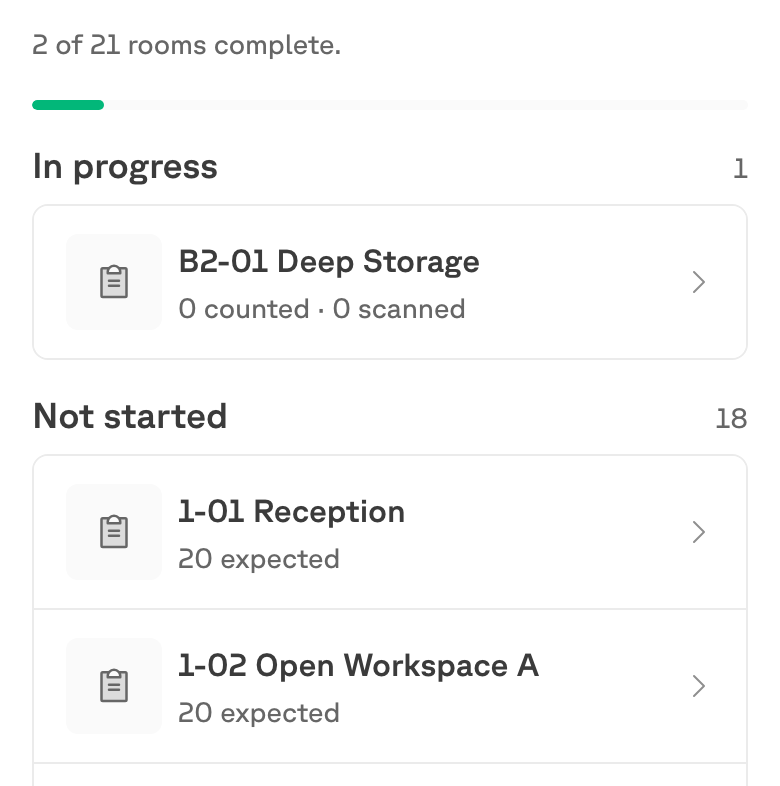
Starting a stocktake changes nothing on its own, and nothing becomes Missing until you review and complete a room. You can stop at any point.
Rooms are shared work — anyone can pick up any room that is not finished, so a building can be counted by several people at once.
Counting a room

Untracked and tracked items are counted differently
This is the part worth knowing before you start, because the two behave differently in your hand:
| How you count it | |
|---|---|
| Untracked (a balance) | Type the number you can see. Four chairs, type four. |
| Tracked (a QR code) | Scan each one. Typing a number cannot say which of them you found. |
The app says as much on the screen: tagged items must be scanned to be counted, you can still count untagged items above. A tracked item you do not scan is one you did not find, no matter what the untagged number says.
This is the usual reason a room “will not finish”. If a count looks short and you are sure the items are there, check whether they are tracked — they need scanning, not typing.
Count what is in front of you
Count what you can see, not what you expect. If there are none, enter zero — that is the whole point of the exercise.
Finding something the app did not expect
Something else is in here adds a product the app was not expecting in this room.
What happens next depends on what the building already believed, and the app sorts it for you:
| What you found | What the app does |
|---|---|
| Something already Missing elsewhere | Counting it here settles it. It comes off the missing list and lives here now. |
| Something expected in a room nobody has counted yet | Completing this room moves it here. |
| Something already counted in another room during this stocktake | Nothing. It has been seen, so it will never be marked Missing. |
| Something nothing in the building accounts for | It is held as found. If another room later comes up short of the same thing, the two settle against each other. |
That last row is the useful one: an item that turns up with no explanation is not discarded and not invented. It waits, and the next short count claims it.
Before you finish
Review this room shows what completing it will do, grouped by outcome. This is the last point at which nothing has been committed.
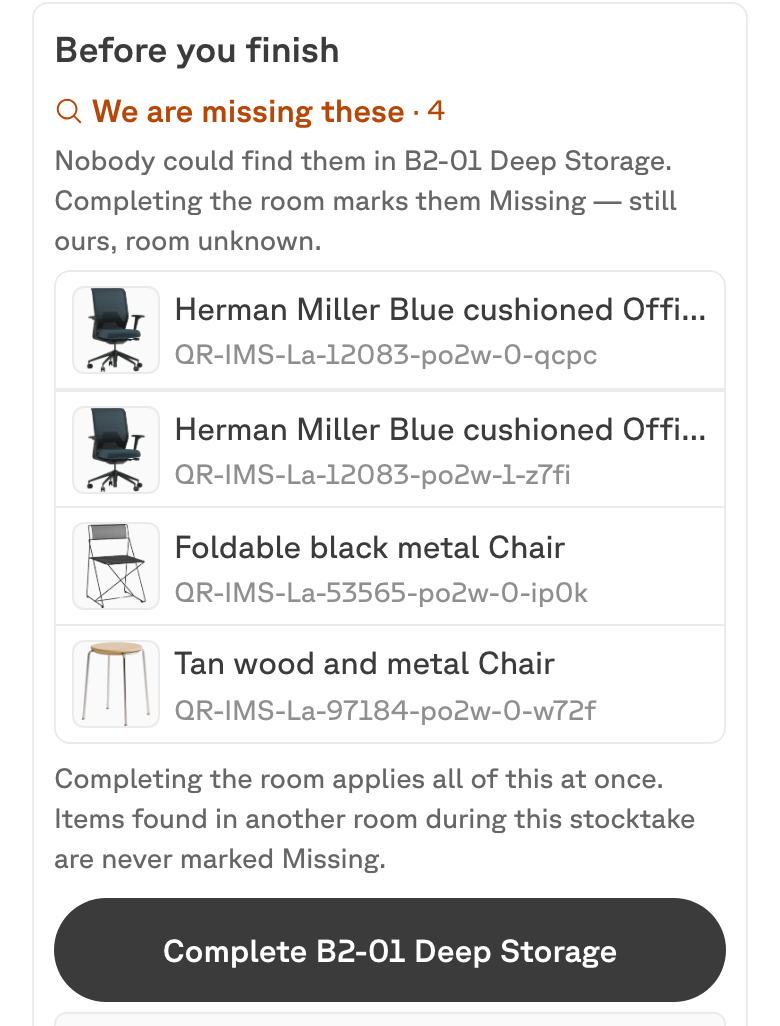
The groups you may see:
- We are missing these — nobody could find them here. Completing marks them Missing: still ours, room unknown.
- We know where these came from — the building was short of them, or holds them in a room nobody has counted yet. Completing moves them here.
- Expected here, found elsewhere — already counted in another room during this stocktake, so they will not be marked Missing.
- These matched — what the app expected is what is here.
Completing
Complete applies all of it at once. Shortfalls become Missing, found items are now recorded in this room, matches are confirmed, and the room shows as Checked.
Anything that came up short is now on the Missing screen: still active, still owned, but with no confirmed room until somebody finds it or writes it off.
Stopping a stocktake discards counts in rooms that were never completed. Rooms already completed keep their changes, and so do tracked items that a scan moved — those happened when you scanned, not when you completed.