Understand the building
Four read-only screens that should always agree with each other. Nothing here changes anything — it is for answering questions, on the spot, without opening a laptop.
Home — the headline
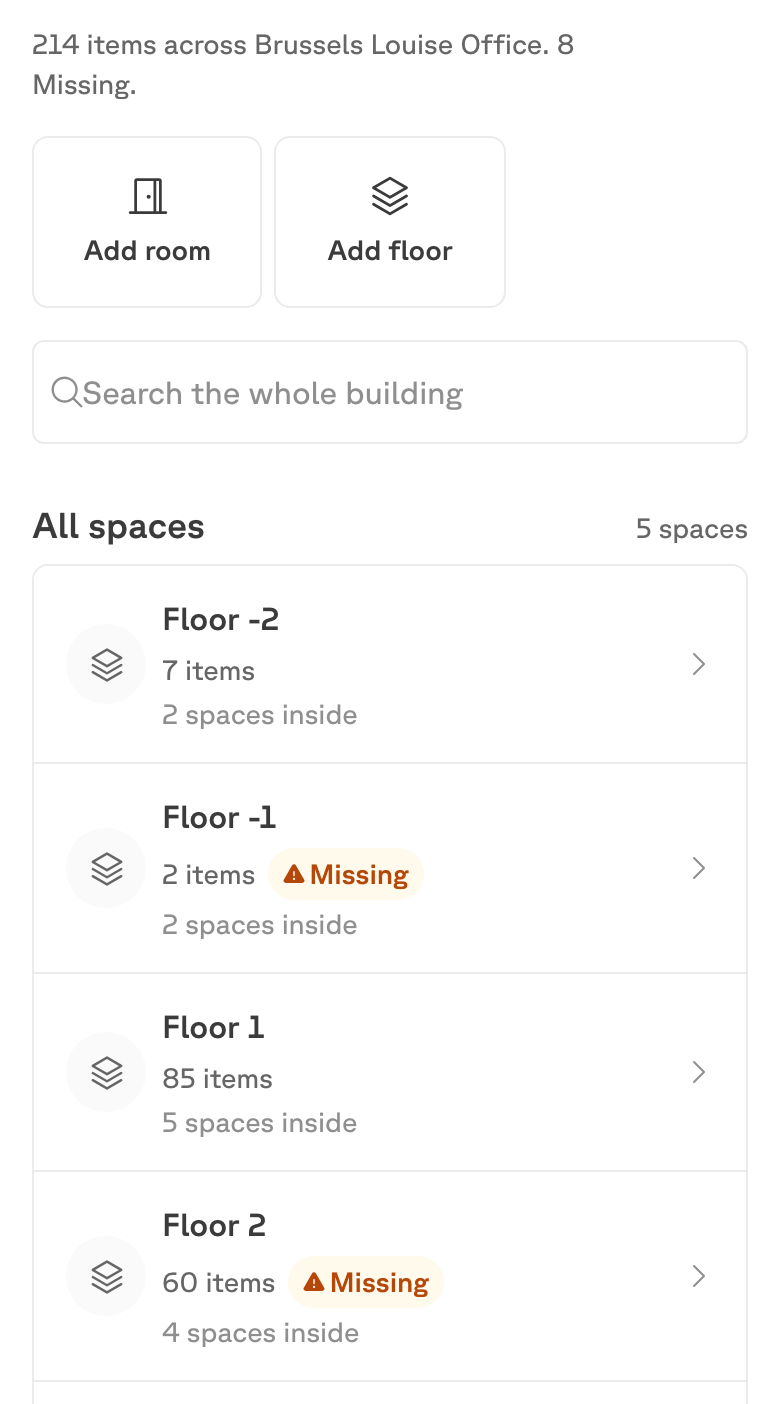
Home opens with how many items are in the building and across how many spaces, and links straight to anything unaccounted for.
Rooms — one level at a time
Rooms shows the building’s structure: the floors, each with its item count and how many spaces are inside it. Opening a floor shows the spaces on it; opening a space shows what is in that room.
You can add a floor or a room from here — useful when the building changes shape and you are standing in the new space.
Distribution — the same totals, cut differently
Distribution splits the building three ways:
- Here now, Missing and Flagged — the health of the record.
- By category — tables, chairs, desks and so on.
- By condition — Good, Used, Damaged, Broken.

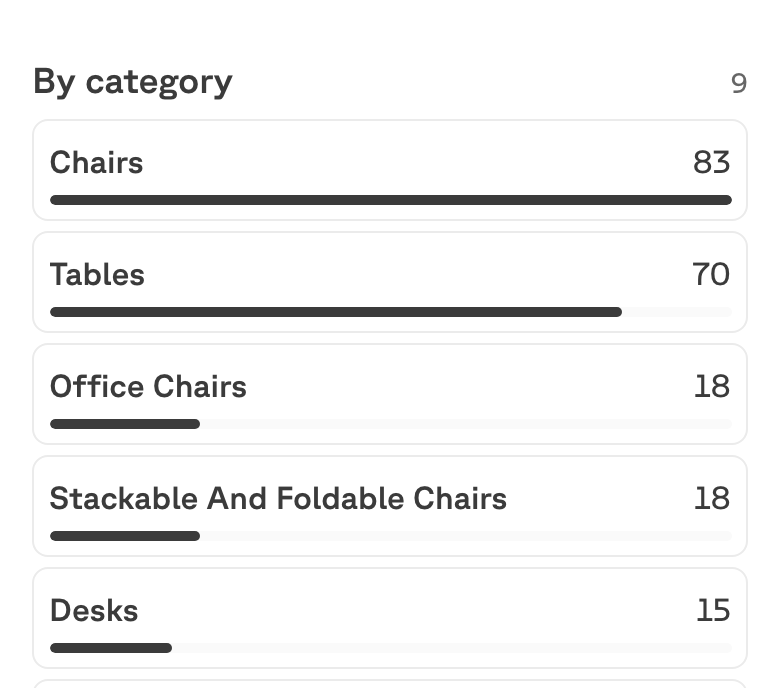
Both breakdowns add up to the building’s total, which is the quickest way to spot that something is off.
Missing — what nobody can find
An item is Missing when it is still active but has no confirmed room. In practice that means a count came up short somewhere. The list groups them by product and shows each tracked item’s label with the room it was last confirmed in.
Missing is not the same as removed. A missing item is still on the books — the building still owns it, nobody just knows where it is. Removing an item is a deliberate act with a reason attached.
When the record is clean, this screen says so: Nothing is Missing in this building. Every active item has a confirmed room.