Flag one that needs attention
A comment is how something gets escalated off the floor. Writing one on a tracked item flags it, and the flag stays until somebody resolves it. So this is not “leave a note” — it is “raise it so it cannot be forgotten”.
You can only flag a tracked item — one that carries a QR code. A comment belongs to a thing, and a quantity is not a thing: there is no way to say which of the six chairs has the loose armrest. If what you need to report is untagged, tag it with a QR code first. It takes about fifteen seconds.
How it goes
Open the tracked item
Scan its label with the Scan tab, or reach it from the Tagged inventory list on the product.
Say what needs attention
Write it as the next person would need to read it: what is wrong, and where on the item.
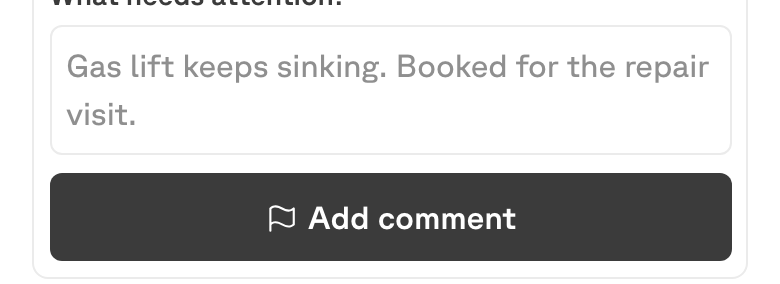
Add the comment
The item is now Flagged, and the comment shows as open.
What makes a useful comment
The person reading it is usually not you, and usually not standing in front of the item.
- “Armrest is loose on the left side.” — someone can bring the right tool.
- “Gas lift will not hold; drops when you sit.” — someone can decide repair or scrap without a trip.
- “Broken.” — a second visit just to find out what broken means.
Say what you observed, not what you think should happen about it. The decision is somebody else’s; the observation is yours.
Where the flag goes
Flagged items collect under Needs a look on the building’s Home screen, with the first line of the comment showing.
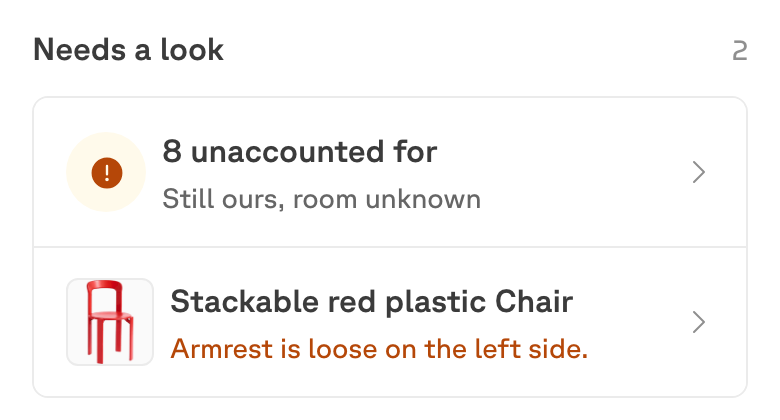
They also show in the Flagged total on Distribution, which is the quickest way to see whether the queue is growing.
Resolving
Open the item and tap Mark resolved. The flag clears and the item leaves the Needs a look list.
The comment itself stays on the item as history. Resolving does not delete what was said — which is the point: the next person to pick that chair up can see it has been through this before.
Flagging is not tagging
| What it is | When | |
|---|---|---|
| Tagging | Giving one unit a QR label so it can be followed on its own. | Once, as a setup step. |
| Flagging | Commenting on a tracked item so it reaches somebody. | Whenever something is wrong. |
Tagging makes an item addressable. Flagging is what you then have to say about it. You tag once; you may flag the same item several times over its life.
A flag is about one item. If a whole room is wrong — the count is off, things are missing — that is a count, not a comment.